
Two listings, both called digital pianos, both with weighted keys and a Bluetooth logo. One costs $325 and the other $1,999. The word doing all the work in between is "smart", and nobody selling you either one explains what it means.
The confusion is fair, because the two categories overlap almost completely. A smart piano is a digital piano. The difference is not sound quality or key action, both of which vary independently. It is a single hardware feature plus the software that uses it, and once you see it, the comparison becomes simple.
The models referenced here are TheONE products, and the specifications and prices below were taken from TheONE's product pages on 28 September 2026. This is not an independent test.
Where the two categories overlap
Almost everywhere that matters for playing. Both produce sound from recorded grand piano samples, both play through speakers and headphones, both can connect to a phone or tablet, and both are sold with weighted or unweighted key actions depending on the model and the price.
If you sit at a smart piano with the app switched off, nothing about it announces what it is. You press a key, you hear a piano, and volume changes with how hard you press. On TheONE's range the 88-key graded hammer action models such as the TOP1X at $1,999 and the TOP2 Pro at $2,399 sit in exactly the same category as any other weighted digital piano with the same specification.
That overlap is why the labels are unhelpful. "Digital" describes the sound source; "smart" describes what the instrument teaches. A digital piano without an app is still a digital piano, and price differences within the category come far more from key action, cabinet and speakers than from whether the piano is smart.
Is a smart piano just a digital piano with an app?
Mostly yes, with one hardware difference that matters.
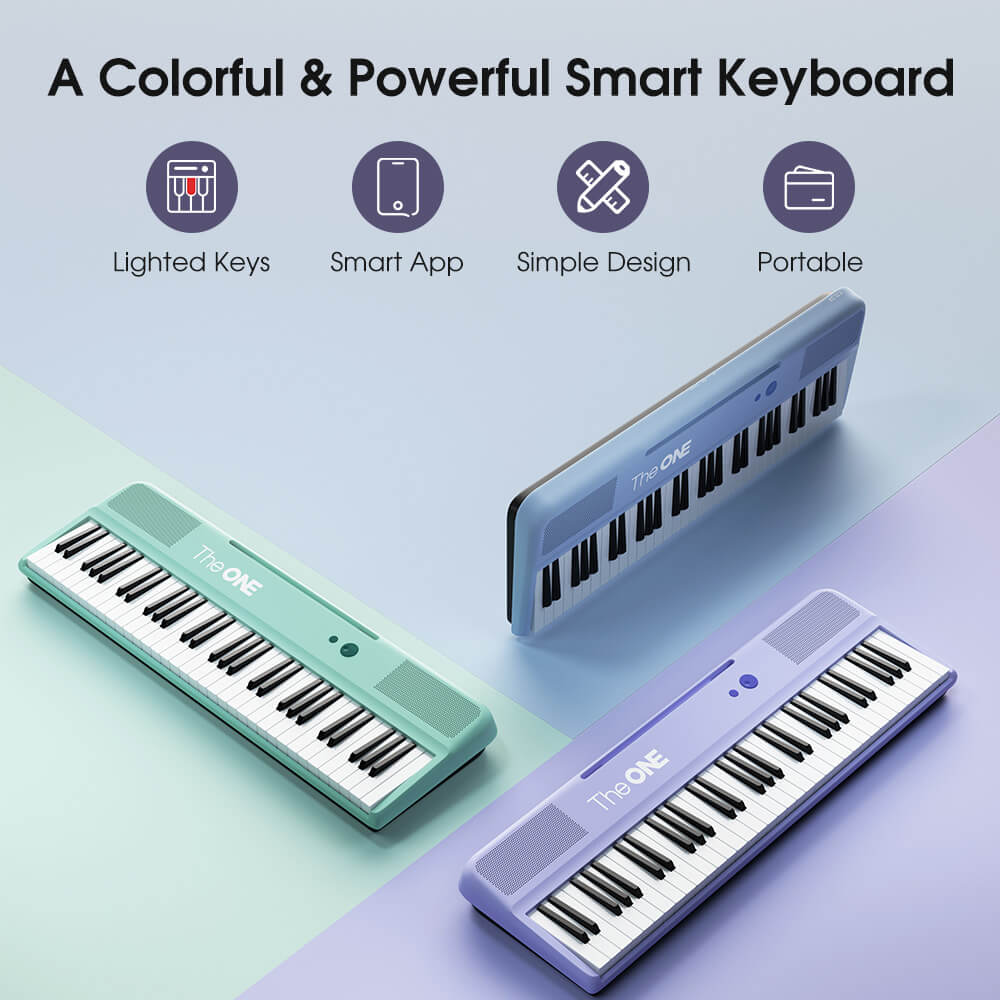
The keys light up individually, which is what lets the instrument show you the next note without a screen in front of you. An app on an ordinary digital piano cannot do that, because the hardware is not there.
Everything else is software. The app supplies the song library, the practice modes and the feedback, and on TheONE instruments it also handles the connection over Bluetooth on iOS 15.6 and Android 7.0 and above, with a cabled USB option for Android 7.0 and above. That splits the decision into two parts: buy the key action you want, then decide whether you want the lights.
It helps to know what the connection is carrying. MIDI carries performance data rather than audio, so the app is receiving which notes you played, when and how hard, rather than listening to the piano. That is why the feedback is exact rather than approximate, and why a slow connection affects the display rather than the sound.
What the light guidance actually changes
It removes the search for the next note, which is the slowest part of a beginner's first month. Instead of reading a note, finding it on the keyboard and then playing it, you watch which key lights and press it, so the rhythm stays intact while the geography is still being learned.
The effect is most obvious in the first few sessions. A beginner who cannot yet read music can play a recognisable tune on day one, and that early success is what makes the second session happen. Where the feature stops helping is later, when the skill being trained is reading rather than locating. Most learners then switch the lights off for new material and use them only to check a passage they keep missing.
If you already read music, the advantage shrinks considerably. A teacher who corrects your timing weekly gives you something a light cannot, which is judgement about phrasing and tone. If you are learning alone, the lights plus app feedback are the closest substitute available in the first year, which is the same reason structured material such as the Royal Conservatory of Music graded levels helps self-taught players avoid drifting.
Do you need the app to play?
No. It plays as a normal digital piano without one.
Sound, key response, headphones and connectivity all work independently of the app. The app adds songs, guided modes and feedback, so the instrument stays useful before pairing and after the included entitlement runs out.
That matters because app entitlements are not identical across models, and it is easy to assume the box contains everything. On TheONE's range the portable models including the COLOR, Sing and Sing Pro ship with three months of the learning app, while the console and upright models including the PLAY, TOP1X and TOP2 Pro ship with six. After that the piano behaves normally; you simply lose the guided content until you choose to subscribe.
Sound and key response remain the things you live with every session. If a model has the action you want but a shorter entitlement, take the action. Nothing about the app changes how a key feels under your hand, and the keys are the part you cannot upgrade later.
Smart piano vs digital piano compared
The table sets the two categories against each other on the points that differ, using TheONE models as the example. Prices are in US dollars, checked on 28 September 2026.
| Digital piano | Smart piano | |
|---|---|---|
| Sound source | Recorded piano samples | Recorded piano samples |
| Key action options | Unweighted to graded hammer action | Unweighted to graded hammer action |
| Keys light up | No | Yes, individually |
| Teaching feedback | Only if you add software yourself | Built in, via the companion app |
| Included app time | None | Three months on portable models, six on console and upright models |
| Example | A weighted 88-key piano with no app | TheONE COLOR at $325, TheONE PLAY at $1,599 |
Read the table as a two-part decision rather than a contest. Choose the key action first, because a graded hammer action is the specification that decides whether the instrument teaches piano technique or only note positions. Then decide whether you want lights and guidance, which is a question about how you will learn rather than about the instrument's quality.

Which is better for a beginner?
The one whose keys you will practise on.
That sounds evasive, but the evidence is consistent: beginners who practise daily improve, and beginners who practise weekly do not, regardless of the instrument. The variables that affect daily practice are whether the piano is set up and reachable, and whether the first ten minutes feel productive. Sessions are also easier to keep short when the volume is low enough to talk over, which is the practical version of the guidance in the WHO listening-safety programme.
If you are learning alone and the first ten minutes currently consist of trying to work out whether you played the right note, the guidance on a smart piano removes that friction. If you already have a teacher who listens every week, a plain digital piano with the right action is money better spent, because the correction is coming from a person.
What neither option fixes is a light keyboard with no weight in the keys. If you are choosing between a well-specified digital piano and a cheaper smart piano with a light action, take the action. Lights teach you where the notes are; weighted keys teach you how to play them.
Common confusions
The first is assuming smart pianos are cheaper because they are less serious instruments. The category overlaps completely with mainstream digital pianos, and the flagship smart models are weighted 88-key instruments with the same specification as any other console piano. The second is assuming that a smart piano requires a subscription to make sound; it does not. The third is treating the light guidance as a shortcut that prevents learning to read music, which is only true if the lights stay on permanently.
Wait before paying for lights if you already read music fluently, or if a teacher will be correcting you weekly. In both cases the feature adds less than the equivalent money spent on key action. If you are teaching yourself, or buying for a child who will mostly practise alone, the guidance is the part that keeps the sessions happening — and short, frequent sessions remain the only thing that consistently produces progress.
FAQ
Is a smart piano just a digital piano with an app?
Almost, but one difference is built into the hardware rather than the software: the keys light up. Lights are what let the instrument show you the next note without a screen, and they only work because the keys are illuminated individually. An app on a normal digital piano cannot do that.
Do you need the app to play a smart piano?
No. Without the app it behaves as an ordinary digital piano: play the keys and you get piano sound through the speakers or headphones. The app adds guidance, feedback and songs, so the instrument is fully usable before you pair it and after the included entitlement ends.
Which is better for a beginner?
The one whose keys you will practise on. If you are learning alone, the guidance on a smart piano substitutes for the person who would otherwise tell you that you played the wrong note. If you already have a teacher, a plain digital piano with a good weighted action is enough.
Next step
Decide in this order: first the key action, then whether you want lights, then the app entitlement. Doing it the other way round is how people end up with a well-connected instrument whose keys they do not enjoy touching.
Shipping and returns in short. TheONE ships free within the 48 contiguous United States, with orders usually processed in 1–3 business days and delivery estimated at 3–7 business days after dispatch. International delivery is estimated at 5–15 business days, with shipping and applicable taxes included in the price shown at checkout. Returns within the United States can be requested within 30 calendar days of receipt and require approval.
Compare the smart models and the standard digital pianos on one page, filterable by keys and price.
If you are weighing a smart piano against an acoustic instrument instead, smart piano vs traditional piano covers upkeep, volume and resale. For the first-purchase checklist, start with digital piano for beginners.


