
Watching a beginner play with the lights is slightly uncanny. The key glows a moment before the finger arrives, the note sounds, and the next key lights somewhere else entirely. It looks like a screen has been laid over the keyboard, and the truth is more interesting than that.
Understanding what is actually happening under the key explains several practical questions: why some models light every key and others do not, why the lights keep time with the music, and why a guided keyboard can tell you that you played the wrong note rather than simply playing along with you.
The instruments referenced are TheONE products; current specifications and pricing are shown on each product page.
What sits under the key
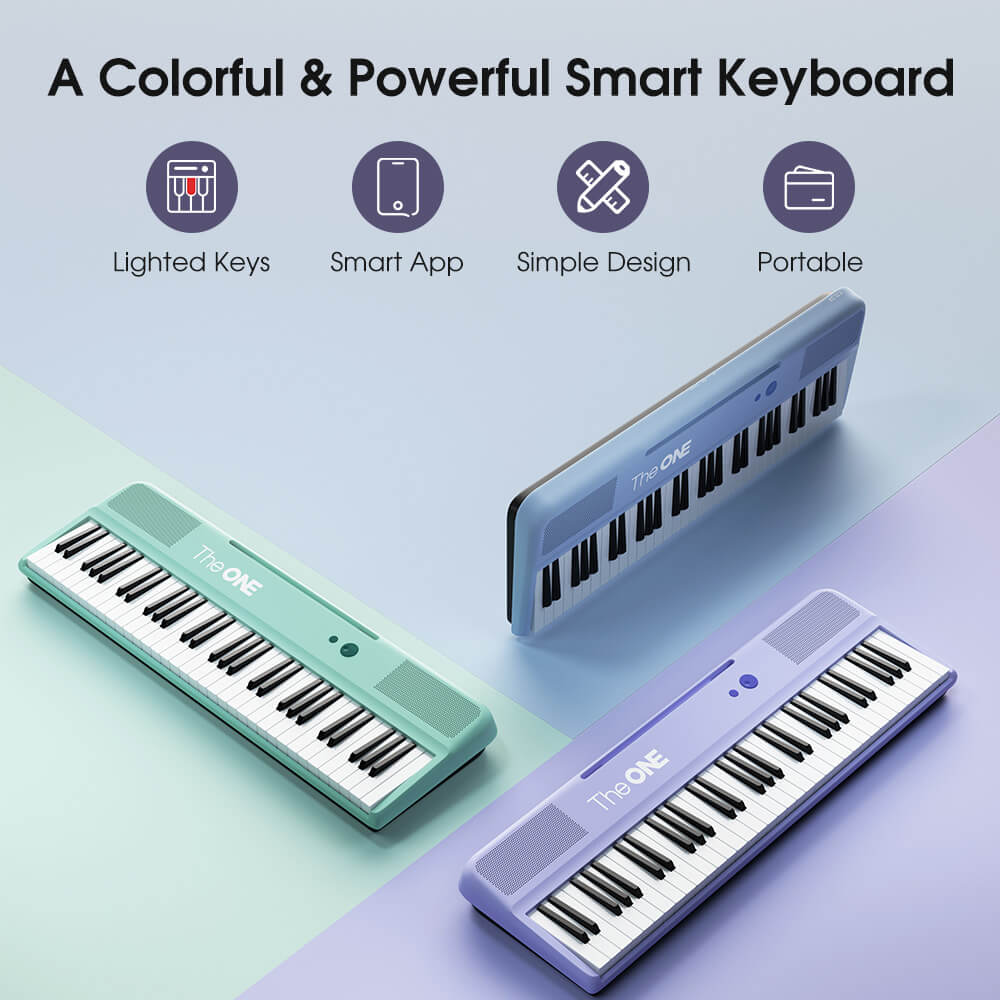
Each key carries its own light, mounted inside the key assembly and diffused so the glow is even across the surface rather than a bright spot. Because every key has a separate light, the instrument can illuminate any combination of them at once, which is what allows two-hand guidance, chord shapes and left-hand patterns to be shown at the same time.
That is the part a screen cannot do. A tablet can show you a note name, and it can highlight a diagram, but it cannot put the answer under your finger at the moment your hand is already moving. The lights are hardware, and they are the reason a smart keyboard works with no screen within reach.
The second piece of hardware is the sensor that reports each key press. Nothing about the lighting works without it: the instrument has to know which notes you played in order to move the guidance forward or hold it while you catch up.
How do light up piano keys work?
Each key has its own light, and the app drives them.
The app sends which note comes next and the matching key glows, so the instruction appears under your fingers instead of on a screen. Nothing needs to be plugged in for the light itself, because the LEDs are part of the instrument.
There is a second channel running the other way. As you play, the keyboard reports which key was pressed, when it was pressed, and how hard — the same performance information every digital instrument produces, described by the MIDI standard. That data is what lets the app compare your playing with the score.
The two channels together are the whole trick. Guidance flows one way, performance flows back, and the loop repeats several times a second. With only one of them, you would have either a light show that ignores what you played or a silent assessment with no instruction.
Why the app and the lights stay in time
Because both the lights and the sensors belong to one instrument, the round trip between them is short and predictable. That matters more than it sounds: teaching tools fail when feedback arrives late, and late feedback is exactly what makes a beginner lose the rhythm they were building.
The connection between the keyboard and the phone or tablet is a separate link on top of that. TheONE keyboards pair over Bluetooth on iOS 15.6 and Android 7.0 and above, with a cabled USB option on Android devices that support USB host. Because the link carries data rather than audio, a slight delay affects the display rather than the sound you hear, which is why notes still sound immediately even on a busy wireless connection.
Do all light up keyboards work the same way?
No, and two differences matter more than the rest.
The first is coverage: whether every key lights or only part of the range. A keyboard that lights all 61 or 88 keys can guide any piece in its library, while partial coverage forces the player to guess at the rest.
The second difference is colour. Some instruments use a single colour, which is fine while you play one hand at a time. Others use two, so the left hand and the right hand can be told apart at a glance, which becomes valuable the moment a piece asks you to play both together. The TheONE Sing Pro is built this way, with the two hands shown in different colours.
A third difference is how the lights behave when you play correctly. Some hold the current note until you hit it, which suits a learner working slowly; others move on regardless. Neither is wrong, but they suit different learners, and it is the sort of thing you notice in a demonstration rather than on a specification page.
| Part of the system | What it does | Why it matters |
|---|---|---|
| LED under each key | Shows the next note on the instrument | No screen needed, and the answer sits where your hand goes |
| Key sensors | Report which note, when and how hard | Lets the app mark mistakes rather than guess at them |
| App | Chooses the notes and scores the result | Turns instruction and assessment into one loop |
| Wireless or cable link | Carries data between keyboard and device | Keeps the display current without delaying the sound |

What the lights cannot do
They cannot hear how you sound. The keyboard reports which note you played, not whether the phrase was even or whether you were pressing rather than playing, so tone and phrasing stay outside what any guided instrument can judge.
They also cannot decide what you should learn next beyond the material they contain. A guided library is sequenced by what people want to play; a method book is sequenced by how hands develop. Using both, and adding graded material such as the Royal Conservatory of Music levels, keeps reading and repertoire moving once the guided pieces run out.
And they cannot correct the room. A keyboard at the wrong height will still be played from the wrong height, guided or not, which is a cheap thing to fix and an expensive one to ignore. The measurements are in the piano bench height guide, and the habit that keeps guided practice useful is described in do light up keys help you learn. Keep headphone volume at a level you could still talk over, since cumulative listening is what the NIDCD and the WHO listening-safety programme both address.
FAQ
How do light up piano keys work?
Each key has its own light under the surface and the instrument controls them individually. The app sends which note comes next, the matching key lights, and you press it. The light is part of the key assembly, not a screen placed over the keyboard.
Do the lights know when you play a wrong note?
They do, because the keyboard also sends what you played. Each key press reports which note, when and how hard, which is the same performance data any digital instrument produces. The app compares that with the score and knows exactly where you went wrong.
Why do some light up keyboards behave differently from others?
Coverage and timing. Some light every key, others only part of the range; some light the note before you play it, others only react after the fact. Coverage and how quickly the lights follow the music are the two things worth checking in a demonstration.
Next step
If you are comparing models, check two things rather than the feature list: whether every key in the range lights, and whether the two hands can be shown differently. Those decide how much of your practice the guidance can actually carry.
Shipping and returns in short. TheONE ships free within the 48 contiguous United States, with orders usually processed in 1–3 business days and delivery estimated at 3–7 business days after dispatch. International delivery is estimated at 5–15 business days, with shipping and applicable taxes included in the price shown at checkout. Returns within the United States can be requested within 30 calendar days of receipt and require approval.
See which models light every key, and how the two-hand colour guidance is arranged.
If you are choosing between a lit keyboard and printed labels, light up keyboard piano covers the buying decision, and piano key stickers are the cheaper alternative.


