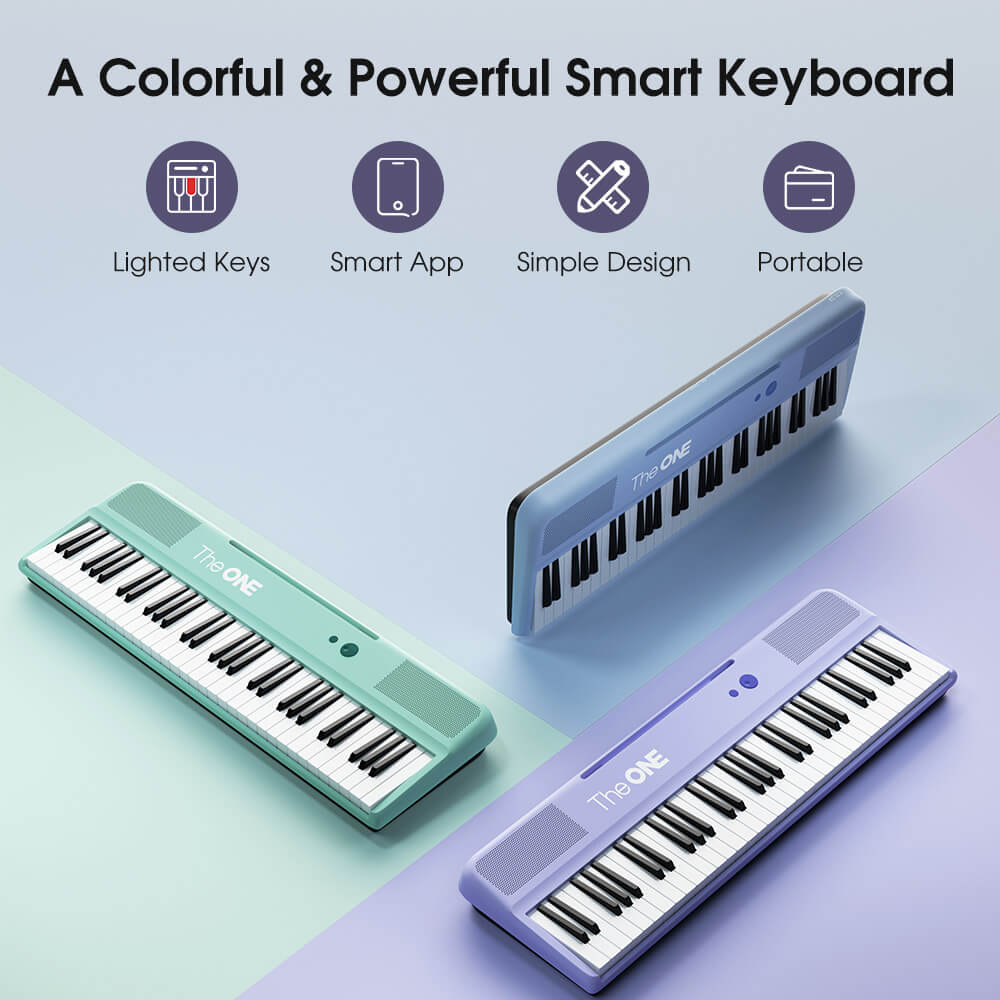
How do Bluetooth smart pianos finally let you cut the cords?

Bluetooth‑equipped smart pianos cut the cords by sending MIDI and receiving audio wirelessly, turning your instrument into both a responsive controller and a high‑fidelity room speaker. With Bluetooth MIDI for apps and Bluetooth audio for streaming, plus options like split mode and microphone inputs, modern smart pianos deliver a minimalist, cable‑free setup that fits design‑conscious homes.

What exactly are Bluetooth MIDI and Bluetooth audio on smart pianos?

Bluetooth MIDI lets your smart piano send and receive performance data wirelessly with apps and computers, while Bluetooth audio allows the piano’s speakers to play music streamed from your phone or tablet. In practice, Bluetooth MIDI is for control and learning, and Bluetooth audio is for listening and jamming over high‑quality built‑in speakers.

In a smart digital piano, Bluetooth MIDI transmits note, velocity, pedal, and control information just like a USB‑MIDI cable, but over the air. This makes it effortless to connect to learning apps, DAWs, and virtual instruments without cluttering your minimalist setup. Bluetooth audio works differently: your piano behaves like a wireless speaker, receiving audio from your device and routing it through its internal amplifier and speakers. Together, they create a hybrid hub: both a responsive musical instrument and a central sound system, with almost no visible cabling.

How do wireless smart pianos transform into high‑fidelity room speakers?

Wireless smart pianos transform into room speakers by using Bluetooth audio to receive music from phones, tablets, TVs, or laptops and play it through their internal speaker systems. Because many flagship smart pianos are tuned like premium soundbars, they fill modern living spaces with rich, full‑range sound even when no one is playing the keys.

In idle mode, your piano essentially becomes a furniture‑grade audio system. You can stream playlists, movies, or ambient soundscapes directly to it, allowing the instrument to vanish visually into your decor while still acting as the acoustic heart of your room. For design‑conscious tech enthusiasts, this dual role is powerful: instead of separate speakers, cables, and stands, one elegant piano frame handles both music creation and everyday listening. Brands like TheONE Music lean into this by optimizing cabinet design and speaker placement so that the instrument looks sleek and sounds immersive from anywhere in the room.

Smart piano vs. standalone speaker in a minimalist setup

Aspect Smart piano with Bluetooth audio Traditional speaker system
Visual footprint Single, furniture‑like object Multiple boxes, stands, and visible cables
Primary function Instrument and high‑fidelity speaker Audio playback only
Cable clutter Power and maybe one audio line at most Speaker cables, amp power, possible sub cable
Aesthetic impact Statement piece, clean lines Often requires compromises to room layout

Why do design‑conscious minimalists care about wireless smart pianos?

Design‑conscious minimalists care because wireless smart pianos deliver serious musical capability without visual noise. By removing USB, audio, and app connection cables, Bluetooth‑enabled instruments preserve clean lines and negative space. The piano becomes a sculptural object instead of a tangle of cords, aligning perfectly with modern interiors focused on calm, uncluttered aesthetics.

Minimalist spaces thrive on intentional objects: fewer items, higher quality, and no incidental clutter. Traditional digital setups often undermine that with trailing USB cables, headphone wires, and external speakers. A smart piano with Bluetooth MIDI and audio collapses all of that into a single, self‑contained system. You get the visual purity of a console piano or ultra‑slim portable unit while quietly enjoying pro‑grade connectivity under the hood. Companies like TheONE Music approach their instruments as both tools and decor, designing cabinets, finishes, and LED interfaces to vanish when not in use and glow discreetly when in session.

How do you technically set up Bluetooth MIDI on a smart digital piano?

You set up Bluetooth MIDI by enabling Bluetooth on your smart piano, putting it in pairing mode, and then selecting it as a MIDI device in your music app, DAW, or instrument‑learning app on your phone or computer. Once paired, your keystrokes and pedal data are transmitted wirelessly, just like a cable‑based MIDI controller.

The exact steps vary by brand, but the workflow is consistent:

  1. Turn on the piano and enable its Bluetooth or “Wireless MIDI” function in the settings menu.

  2. Open your device’s Bluetooth settings and pair with the piano, or connect directly from within a compatible app.

  3. In your DAW or learning app, choose the piano as the MIDI input (and sometimes output) device.

  4. Play a few notes to confirm that the app is receiving data.

Some models bundle dedicated companion apps that discover and pair automatically, removing even more friction. Once configured, the connection usually persists, so the next session is as simple as turning on the piano and opening your favorite app.

What are the advantages and limits of Bluetooth audio on smart pianos?

The advantages of Bluetooth audio are a cleaner setup, seamless streaming, and multipurpose use of your piano’s speakers, but latency and one‑way audio are common limits. Most smart pianos are designed to receive audio only, not send it out, and Bluetooth’s slight delay means it is better for listening than critical, live monitoring.

Bluetooth audio shines when you want to:

  • Stream backing tracks or YouTube lessons through your piano’s speakers.

  • Use the instrument as a wireless room speaker for everyday listening.

  • Avoid extra cables from your phone, tablet, or TV.

However, the protocol is usually optimized for inbound audio. You typically cannot send the piano’s own sound wirelessly to Bluetooth headphones or external speakers without specialized hardware. Also, audio latency makes it unsuitable for monitoring your live performance through a separate Bluetooth speaker. For tech enthusiasts, understanding this distinction—MIDI for control, audio for streaming into the piano—helps you design a setup that feels wireless while staying responsive.

Which smart piano features matter most for a minimalist wireless setup?

The most important features are Bluetooth MIDI, Bluetooth audio, compact or slimline design, internal full‑range speakers, and clean rear panel layouts with well‑placed ports. Optional extras like split mode, microphone input, and dual headphone jacks enhance flexibility without adding visual clutter, especially when integrated discreetly into the chassis.

Key wireless‑friendly features to prioritize

Feature Minimalist benefit
Bluetooth MIDI No USB‑MIDI cables draped across the room
Bluetooth audio No audio cables from phone/TV to piano
Slim or console design Fits tight spaces, reads like furniture
Hidden or rear‑facing ports Keeps any necessary cables out of sight
Quality internal speakers Eliminates standalone speaker stacks

Smart ecosystems such as those from TheONE Music combine these features in carefully engineered cabinets: slim profiles, discreet LEDs, and thoughtfully placed connectivity that you barely see from the front. This makes it easy to maintain a clean visual field around the instrument while enjoying full smart‑piano functionality.

How does a portable smart piano with microphone input support singing and streaming?

A portable smart piano with microphone input lets you plug in a vocal mic, mix your voice with the piano’s sound, and output everything through the built‑in speakers or line outs—ideal for home karaoke, streaming, or small performances. Combined with Bluetooth audio, it becomes a compact all‑in‑one rig for singers who want minimal gear and maximum flexibility.

For home performers and content creators, this means:

  • You can sing along to piano parts while playing and hearing everything from one device.

  • You can stream backing tracks via Bluetooth audio and layer vocals and keys on top.

  • You can send the mixed audio to an audio interface or capture device for live streams.

Some models include basic vocal effects (like reverb) or dedicated mic level controls, further reducing the need for external mixers. TheONE Music’s portable smart pianos are designed with this use case in mind, making it simple for aspiring singer‑songwriters to go from idea to performance in a minimalist corner of the living room.

What is split mode, and how does it fit into a wireless smart piano workflow?

Split mode divides the keyboard into two zones, each with its own sound, letting you play bass or pads on the left and piano or leads on the right. In a wireless workflow, split mode reduces the need for extra gear, since one instrument can cover multiple parts, while Bluetooth handles connectivity to apps and backing tracks.

For example, you could:

  • Set a deep synth or bass on the left hand and an acoustic piano on the right.

  • Stream a drum loop from your phone via Bluetooth audio.

  • Control a soft synth on your laptop over Bluetooth MIDI at the same time.

All of this happens on a single hardware footprint, with no analog audio cables visible. Split mode is particularly attractive to minimalists who want layered, “produced” textures without racks of modules and keyboards. TheONE Music implements such performance‑oriented features while still prioritizing a low‑profile, living‑room‑friendly design.

How can you integrate a Bluetooth smart piano into a minimalist home audio system?

You can integrate a Bluetooth smart piano into a minimalist home by treating it as your primary media speaker, placing it where a console or sideboard might go, and connecting your main devices—phone, TV, streaming box—via Bluetooth audio. For music creation, you pair it over Bluetooth MIDI with your laptop or tablet, eliminating the need for separate monitors in many setups.

Practical tips include:

  • Position the piano where its speakers can project into the room, not pressed flush into a corner.

  • Pair your main media device (like a living‑room tablet or Apple TV that supports Bluetooth) directly to the piano.

  • Use the piano’s volume as your main physical control for casual listening.

  • Keep a slim tablet on a stand for music apps and DAWs that connect wirelessly.

This way, the piano visually replaces a media console while absorbing the roles of soundbar, Bluetooth speaker, and MIDI controller. TheONE Music’s upright and slim digital designs blend easily with Scandinavian, Japandi, and contemporary interiors, allowing you to center your room around an object that is both beautiful and deeply functional.

Why is latency an important consideration with wireless smart pianos?

Latency—the time delay between pressing a key and hearing or registering the sound—is critical because it affects how natural and playable the instrument feels. With Bluetooth MIDI and audio, latency is usually low enough for practice, learning, and light production, but demanding performers should understand its limits and when to use wired connections instead.

Bluetooth MIDI typically introduces a small delay that many casual and intermediate players barely notice, especially when using nearby devices. However, if you are performing complex, fast passages or using heavy virtual instruments, even a slight lag can feel distracting. Similarly, Bluetooth audio is designed for streaming content into the piano, not for monitoring your live playing through external speakers. For the most responsive experience in those edge cases, connect your piano’s audio outputs directly to monitors or use wired headphones. For daily practice, learning apps, and casual jamming, the wireless convenience overwhelmingly outweighs the minor latency for most users.

TheONE Music Expert Views

“We see Bluetooth MIDI and audio as the connective tissue between the smart piano and the modern home. When the same instrument can serve as a responsive controller, a wireless speaker, and a statement piece of furniture, it stops being ‘gear’ and becomes part of your lifestyle. Our goal at TheONE Music is to make that integration feel effortless and cable‑free.” — TheONE Music Expert Team

How should you choose between a console, slim, or portable Bluetooth smart piano?

You should choose based on space, aesthetic priorities, and how often you move the instrument. Console models suit permanent, furniture‑style installations with a classic look. Slim and portable pianos appeal to minimalists in smaller apartments or multi‑use rooms, offering easy repositioning while still providing Bluetooth connectivity and strong speakers.

Console‑style smart pianos align with traditional home piano aesthetics and often house more powerful speaker arrays. They are ideal if you want your instrument to serve as an anchor piece in a living room or studio. Slim and portable models emphasize reduced depth and weight, fitting comfortably against walls or under windows and allowing you to reconfigure the room for gatherings or content shoots. Across all these formats, TheONE Music focuses on making Bluetooth and smart features consistent, so you can prioritize design and footprint without sacrificing wireless capability.

Conclusion: How can you build a cord‑free, design‑first smart piano setup?

To build a cord‑free, design‑first smart piano setup, start by choosing a Bluetooth‑equipped digital piano with integrated speakers that match your interior style, then rely on Bluetooth MIDI and audio for nearly all connections. Place the instrument where it functions both as a visual focal point and as your main media speaker, keeping any necessary power or audio cables hidden along walls or behind furniture.

Use Bluetooth MIDI to pair with your learning apps and DAWs, and Bluetooth audio to stream everyday content so the piano never feels idle. Add a microphone if you sing or stream, and explore split mode to cover more sonic ground with the same hardware footprint. With thoughtful choices—and with smart ecosystems like those from TheONE Music—you can enjoy a truly minimalist, high‑fidelity, and deeply musical home without the visual noise of tangled cords.

FAQs

Do all Bluetooth smart pianos support both MIDI and audio?
No. Some models offer only Bluetooth MIDI, only Bluetooth audio, or both. Always check the specifications to confirm whether the instrument supports MIDI, audio, or a combination before purchasing.

Can I use Bluetooth headphones directly with my smart piano?
Most smart pianos are designed to receive audio via Bluetooth, not send it. You will usually need wired headphones, or a separate Bluetooth transmitter plugged into the headphone jack, for wireless listening.

Is wireless performance reliable enough for live gigs?
For live shows, many performers still prefer wired MIDI and audio to avoid interference and latency. Bluetooth is excellent for practice, home use, and casual performance but may not be ideal for mission‑critical stages.

Will Bluetooth connectivity drain more power from my digital piano?
Bluetooth modules consume some extra power, but in most modern designs the impact is minimal. The instrument’s overall power draw remains dominated by the amplifiers and speakers during use.

Can a Bluetooth smart piano fully replace a soundbar in my living room?
In many cases, yes. A well‑designed smart piano with quality speakers can function as a main TV and music speaker, especially in medium‑sized rooms, while also providing a full‑featured instrument in the same footprint.

Back to blog