
Touch-sensitive keys and weighted keys describe different things. Touch sensitivity means the instrument can change the sound—usually volume and sometimes timbre—according to how the key is played. Weighting describes the physical resistance and return you feel under the fingers. A keyboard can be touch-sensitive without being weighted, and a useful buying comparison must test both.
Remember the two questions
- Touch sensitivity: does the sound respond when you play softer or harder?
- Weighting: how does the key physically resist and return?
- Hammer action: what mechanism is used to create a more piano-like movement?
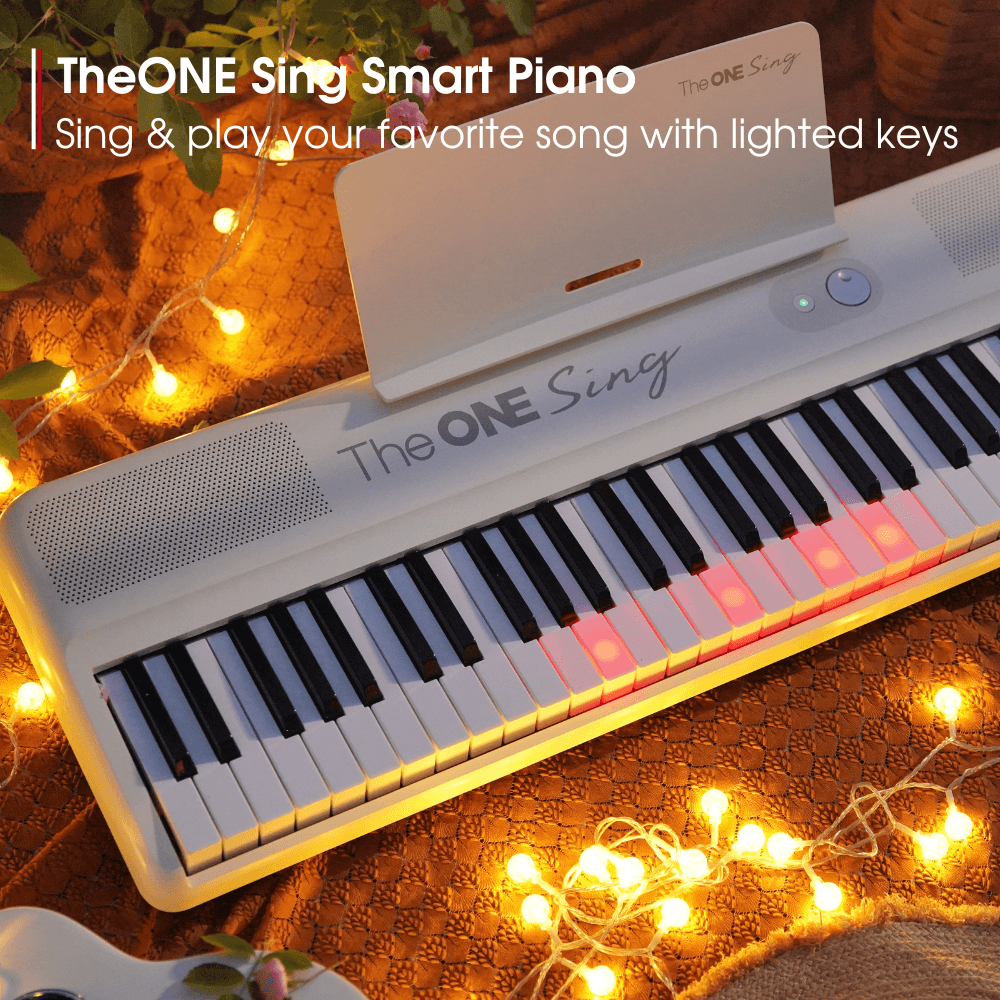
- Lighted keys: do LEDs provide guidance? This is separate from both features.
What does touch sensitivity change?
Play the same note softly, then more firmly, without changing the volume knob. If the sound responds across several levels, the key is velocity-sensitive in that sound or mode. The number and smoothness of usable levels matter more than the word “sensitive” alone.
Touch sensitivity supports musical phrasing because repeated notes need not all sound identical. It does not tell you how heavy the key feels.
What do weighted keys change?
Weighting affects the force and motion required to depress and release the key. Hammer-action designs aim to create a more piano-like movement; graded versions vary resistance across the keyboard. Those terms still do not guarantee that every player will prefer the action.
Use a two-axis comparison
| Instrument behavior | Touch-sensitive? | Weighted? |
|---|---|---|
| Light key changes volume with playing force | Yes | Not necessarily |
| Resistant key produces nearly one level in current mode | Not demonstrated | Possibly |
| Hammer action with expressive velocity response | Yes | Yes |
| Keys illuminate to show notes | Unknown from lights alone | Unknown from lights alone |
Test touch response separately
- Select a plain piano sound and a normal touch curve if available.
- Play one middle note very softly five times.
- Play it at medium force, then firmly.
- Listen for predictable changes rather than random jumps.
- Repeat with a chord to see whether notes remain balanced.
Test physical action separately
- Press keys slowly without focusing on sound.
- Compare resistance, return and side-to-side stability.
- Repeat notes and a familiar scale.
- Compare bass and treble only if the product claims graded action.
- Notice whether control improves after several minutes or tension increases.
Read product labels without merging the features
“Velocity-sensitive,” “touch-responsive,” “weighted,” “hammer action” and “graded” answer different questions. Build a two-column note while shopping: one column for sound response and one for physical mechanism. If a specification appears in only one column, do not infer the other.
Touch curves such as light, normal or heavy can change how much playing force produces a given MIDI velocity or volume. They do not add or remove mechanical weight. Conversely, a resistant key can still have an uneven or limited dynamic response in the selected sound. Test the exact combination you intend to use.
Try a musical test instead of pressing one key
After the single-note test, play a four-bar phrase containing a soft opening, a gradual increase and one accented note. Listen for whether the instrument lets you shape the phrase predictably. Then repeat the phrase while paying attention only to key return and control. This separates an expressive sound response from a comfortable action.
If possible, compare through headphones as well as speakers. Speaker volume and room noise can hide small dynamic changes even though the keys are sending different velocities.
Which feature matters more?
For expressive playing, touch response is important. For piano-like technique and transfer, action matters. Most piano-focused learners ultimately want both. A portable songwriter may accept a lighter action but still want useful velocity response.
Match the combination to the learning goal
| Goal | Minimum useful priority | What to verify |
|---|---|---|
| Traditional piano lessons | Responsive dynamics plus a controllable piano-oriented action | Teacher expectations, pedal support and transfer to acoustic piano |
| Portable songwriting | Reliable touch response; lighter action may be practical | Weight, key range and control of the sounds used |
| First exploration instrument | Audible soft-to-loud response and comfortable repetition | Whether limitations will interrupt the next stage of lessons |
| Silent home practice | Both features should remain usable through headphones | Dynamic range at a safe listening level |
Avoid three common specification mistakes
First, do not treat “touch-sensitive” as a synonym for heavy keys. Second, do not assume a “weighted” label explains whether resistance is graded, how quickly notes repeat or how consistently sensors capture soft playing. Third, do not let lighted keys, lesson modes or a large sound library substitute for testing the two core behaviors.
If an online listing is unclear, look for separate specifications for velocity or touch response and for the key-action mechanism. If either is missing, ask the manufacturer or test the instrument. Avoid converting an absent specification into a positive claim.
When should a beginner reconsider the instrument?
Reassess when the learner cannot produce reliable quiet notes, repeated notes fail to respond as expected, the teacher identifies an action-related obstacle, or regular acoustic-piano playing feels radically unfamiliar. Before replacing the instrument, confirm that touch-curve settings, sound choice, volume and posture are not causing the problem. This keeps a settings issue from being mistaken for a hardware limitation.
Frequently asked questions
Do lighted keys mean a keyboard is touch-sensitive?
No. Lighting and velocity response are separate systems.
Does “weighted” guarantee hammer action?
No. Read the exact action description and test the instrument.
Can touch settings change the physical weight?
No. A touch curve changes how velocity maps to sound, not the key mechanism.


